
1xBet India App
Mobile is where most Indian betting actually happens — a T20 chase on one screen, the bet slip on the other. 1xBet offers a native Android build installed from its own site, an iOS build, and a mobile browser version that needs no installation at all. This page explains how each route works, what your phone needs, what the app asks permission for, and which option makes sense on a modest handset or a patchy 4G connection. Availability and file details come from the operator's mobile pages; version numbers and file sizes change constantly and are not independently verified.
Android: why the APK does not come from Play Store
Google Play restricts real-money gambling apps in India, so the Android client is distributed as an APK file from the operator's own mobile page. That is normal for offshore betting brands, but it puts the security burden on you: the file must come from the operator's domain, not from a forwarded link in a WhatsApp group or a mirror blog promising a "modded" version.
The install runs like any sideloaded app. Android will ask you to allow installation from your browser, warn you that the source is outside the store, and then complete in a few taps. After installation you can switch that permission back off — the app updates itself from inside, not through the browser.
If you have not opened an account yet, do that first: the registration walkthrough covers choosing India and INR, which is easier on a full-size keyboard than on a phone.
- Download only from the operator's own mobile page, reached from a link in your account or its official site
- Allow "install unknown apps" for your browser, then revoke it once the install finishes
- Delete the APK file from Downloads afterwards so an old version cannot be reinstalled by accident
- Modified or "premium unlocked" APKs are malware, not shortcuts
iPhone and iPad access
An iOS build is offered by the operator, and its availability in the Indian App Store storefront varies over time — the operator's own instructions are the only reliable source on any given day, and we do not independently verify store listings.
Where a direct install is not possible, the practical answer on iOS is the mobile site saved to your home screen. Safari's Add to Home Screen option creates an icon that opens full-screen with no browser chrome, which behaves close enough to an app for placing bets, checking cash-out and using the cashier.
What the mobile client actually does
Feature parity with the desktop site is close rather than identical. The sportsbook, live betting, cashier, bonus section and account settings are all present, and the app is generally quicker to reload odds during an innings than a browser tab that has gone to sleep.
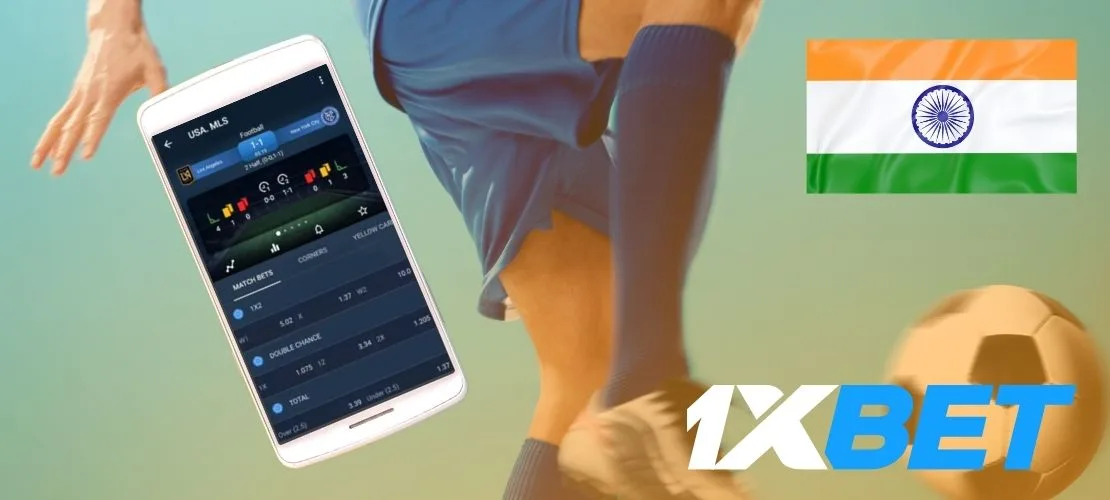
Streaming and statistics are the notable mobile strengths: live video for selected events is offered inside the client, subject to the operator's regional rights, and match trackers cover fixtures without video. Casino play also works on mobile, with the lobby restructured into scrollable categories — our casino lobby breakdown explains how slots, live tables and crash titles are arranged.
The cashier is the part worth testing first. Deposits by UPI hand off to your payment app and return, which is smoother in the native client than in some in-app browsers. Rails, limits and timings are covered on the deposits and withdrawals page.
- Pre-match and in-play markets with the same INR pricing as desktop
- Cashier with UPI hand-off, plus withdrawal requests and payment history
- Live streaming for selected events, subject to regional rights per the operator
- Push notifications for settled bets, promotions and bonus expiry — worth pruning in settings
Phone requirements, storage and mobile data
Betting apps are light compared with games. A mid-range Android phone from the last five years, a modern Android version and a few hundred megabytes of free space cover the install and its cache comfortably; the operator's stated minimum version is subject to change and not independently verified.
Data is the real cost. Odds refreshes are tiny, but live video is not — an hour of streaming can consume a meaningful slice of a daily 1.5 GB pack. If you are on a metered connection, use the match tracker instead of the stream, and clear the app cache occasionally if the lobby starts feeling sluggish.
Fixing the four problems people actually hit
Install blocked. Android refused the unknown source. Re-open the permission for the browser you downloaded with, then install again.
App opens but nothing loads. Usually connectivity rather than the app. Offshore domains are inconsistently reachable on some Indian ISPs; switching between mobile data and Wi-Fi is the quickest diagnostic, and the operator publishes alternative access routes for exactly this reason.
Login loop. One-click accounts sign in with a numeric ID, not an email address. Reset via the registered mobile number if the ID has been lost.
Deposit returns as failed. Do not retry three times in a row. Check whether the amount left your bank first, then raise one ticket with the UTR reference. The full sequence is set out in our payments guide, and the wider account picture sits on the 1xBet India guide home page.
- Keep the app updated from inside the client — stale builds cause most cashier errors
- Enable a screen lock and, where offered, two-factor authentication before you store a balance
- Use the in-app responsible gambling settings to cap deposits and set session reminders
- 18+ only, higher or prohibited in some Indian states; terms apply to every bonus shown in-app
FAQ
Is the 1xBet app available on Google Play in India?
Real-money gambling apps face store restrictions in India, so the Android client is distributed as an APK from the operator's own mobile page rather than through Play Store.
Is sideloading the APK safe?
The install mechanism is standard Android, and the risk sits entirely in the source of the file. Download from the operator's own domain, revoke the install permission afterwards, and never use a modified build.
Can I use 1xBet on an iPhone without installing anything?
Yes. Open the mobile site in Safari and use Add to Home Screen. It launches full-screen and supports betting, cash-out and the cashier.
Does the app cost anything or use a lot of data?
The app itself is free. Odds and bet slips use very little data, but live streaming is heavy — use the match tracker if you are on a limited daily pack.
Betting on a phone, not a desktop?
Create the account first, then take the Android or iOS route from the operator's own mobile page. 18+ only and gambling involves a risk of losing money.
Sign up on 1xBet and bet from your phone